Actual QuickRep screens, shown with invented companies, contacts, products and prices. No customer data.
Build a dealer call list
Start with companies that fit your territory, then search and filter the list before exporting it.
For a line launch: find the dealers you want to call, then keep the company record nearby.
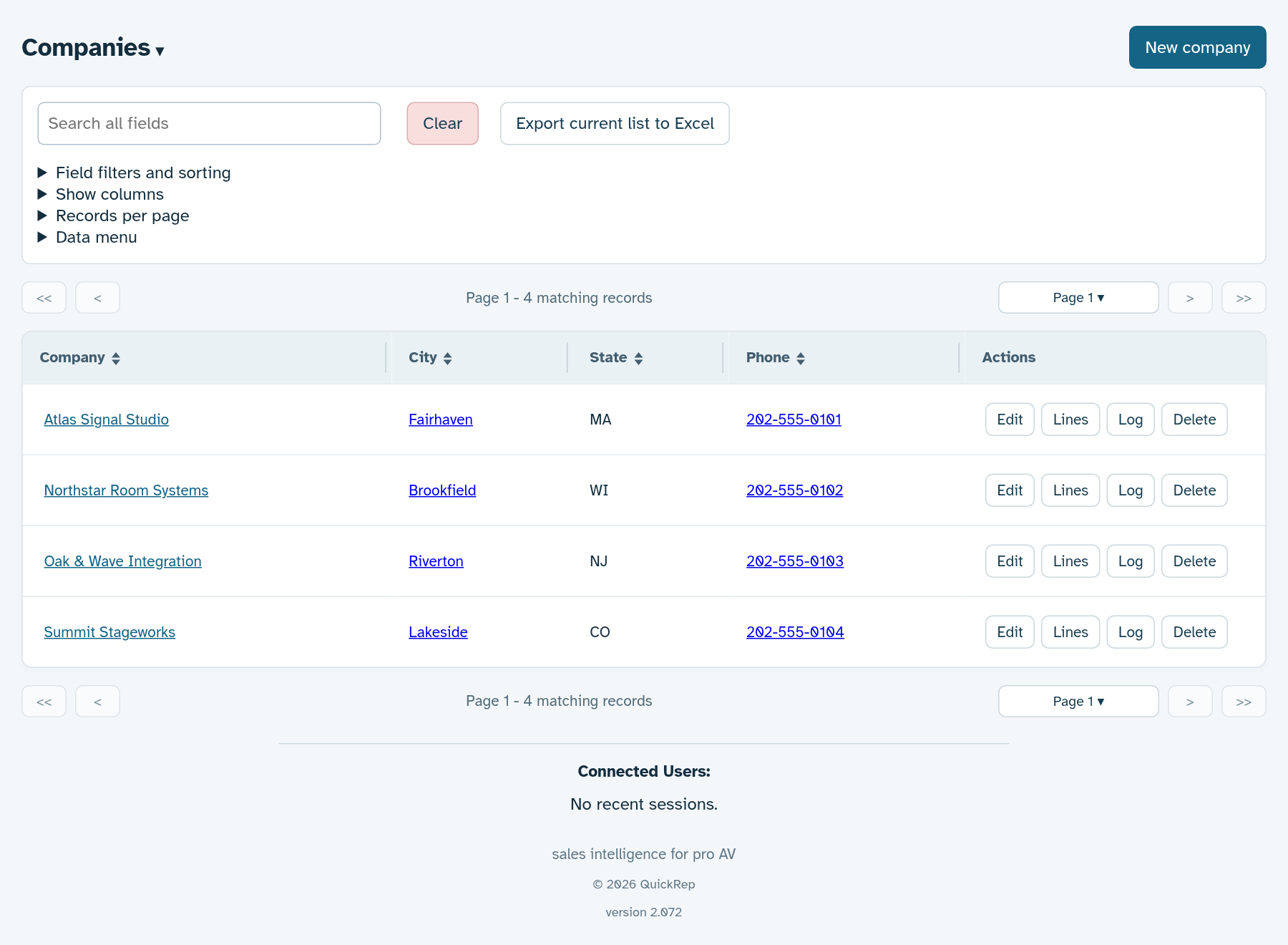
Demo data only · Tap the screenshot to view full size
Find the right person
Keep contacts tied to their companies, with email and phone details in the same workspace.
For a dealer visit: find the purchasing or project contact without searching a separate spreadsheet.
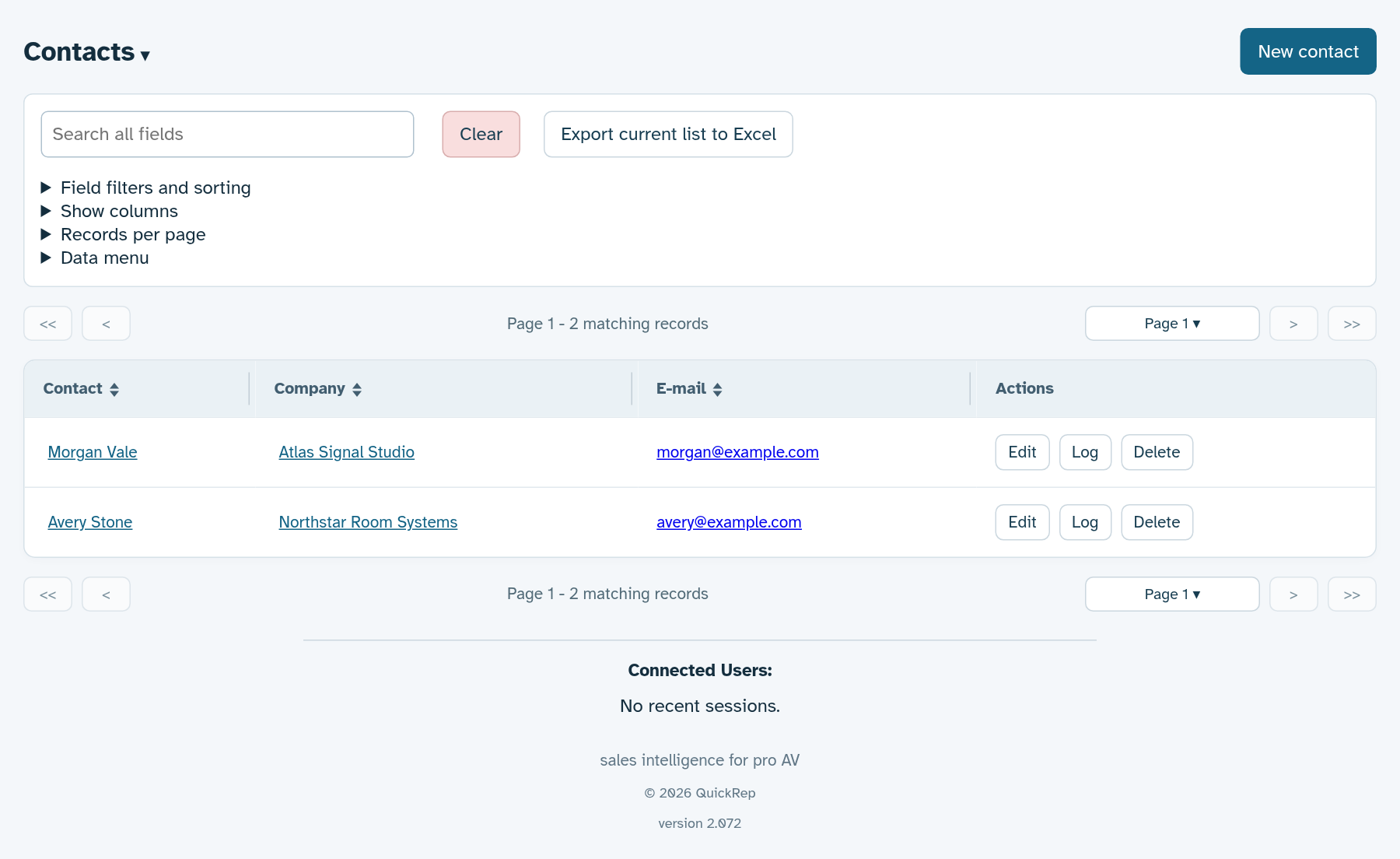
Demo data only · Tap the screenshot to view full size
Check a product price
Search a SKU across imported price-list versions. MSRP, MAP and Dealer Net stay separate, with status and effective date visible.
For a pricing question: check whether a new list is Future before using it in a quote.
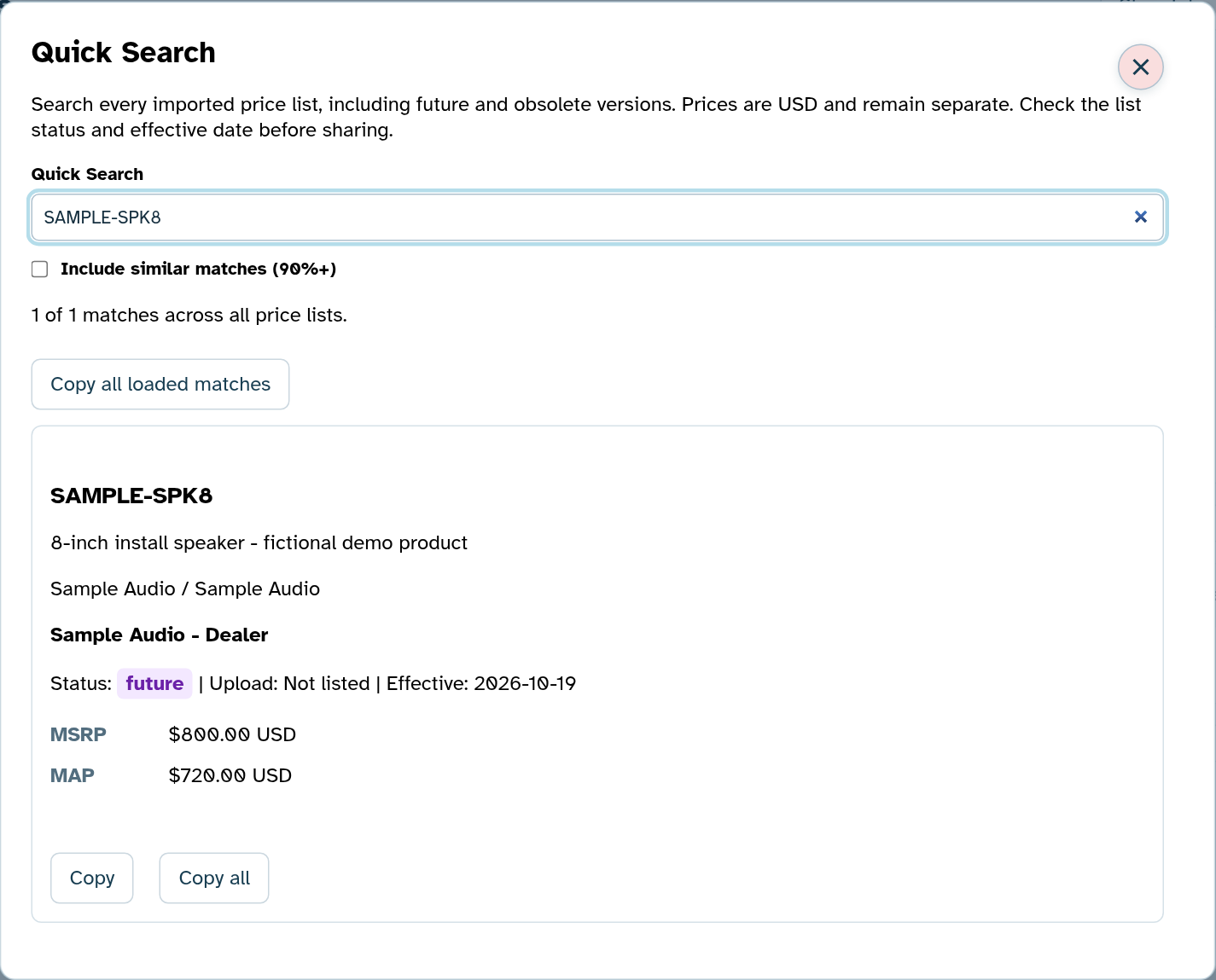
Demo data only · Tap the screenshot to view full size
Keep quotes moving
See open quote value by status and keep each quote attached to its dealer. Export quotes and bills of materials as PDF or Excel.
For a school or venue project: move from a product list to a quote, then track revisions as the scope changes.
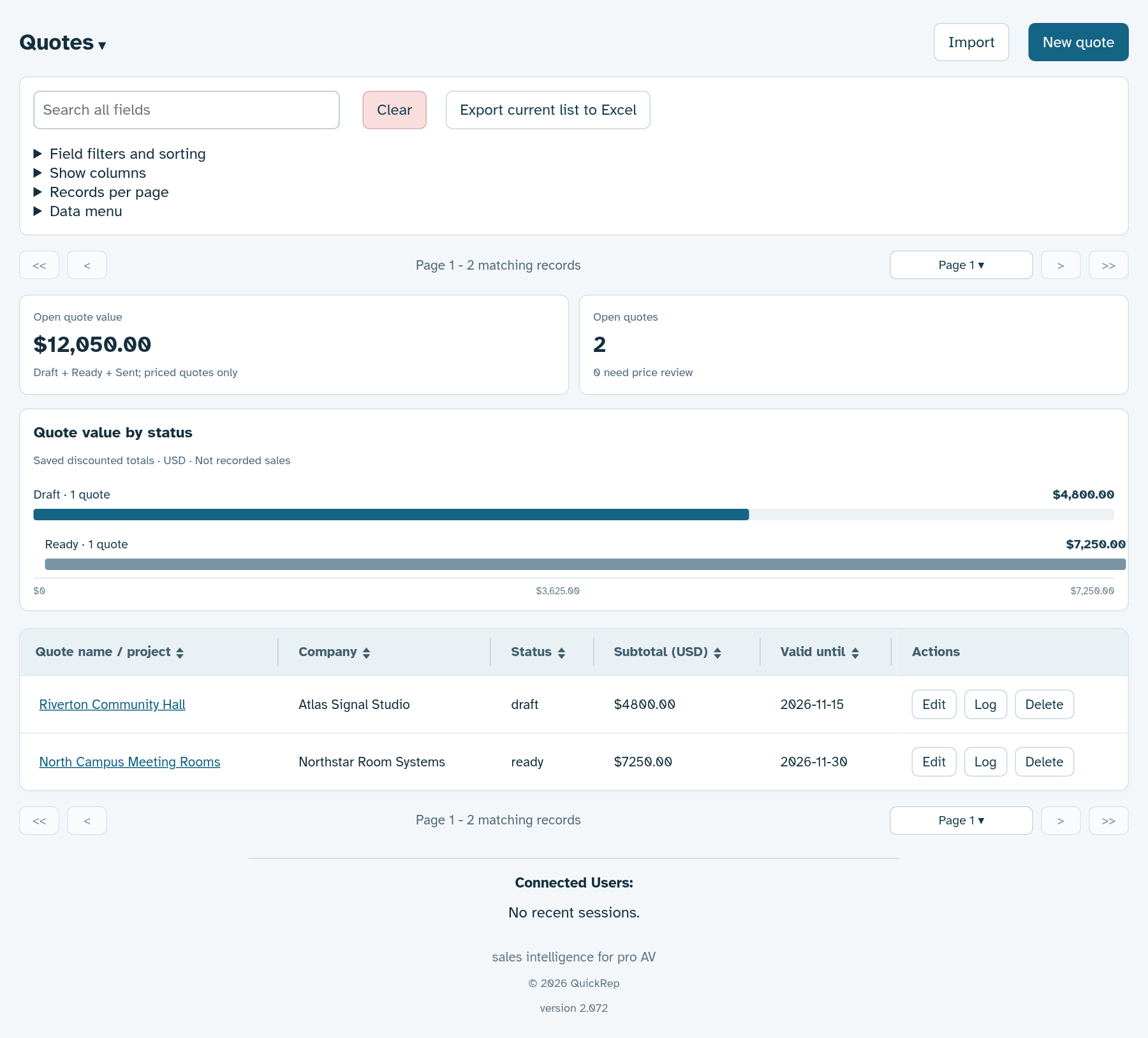
Demo data only · Tap the screenshot to view full size
Review the project pipeline
See active projects by stage, estimated value and expected close date. Quotes and project details stay together.
For a weekly team review: focus on projects that need a demo, a quote or a follow-up.
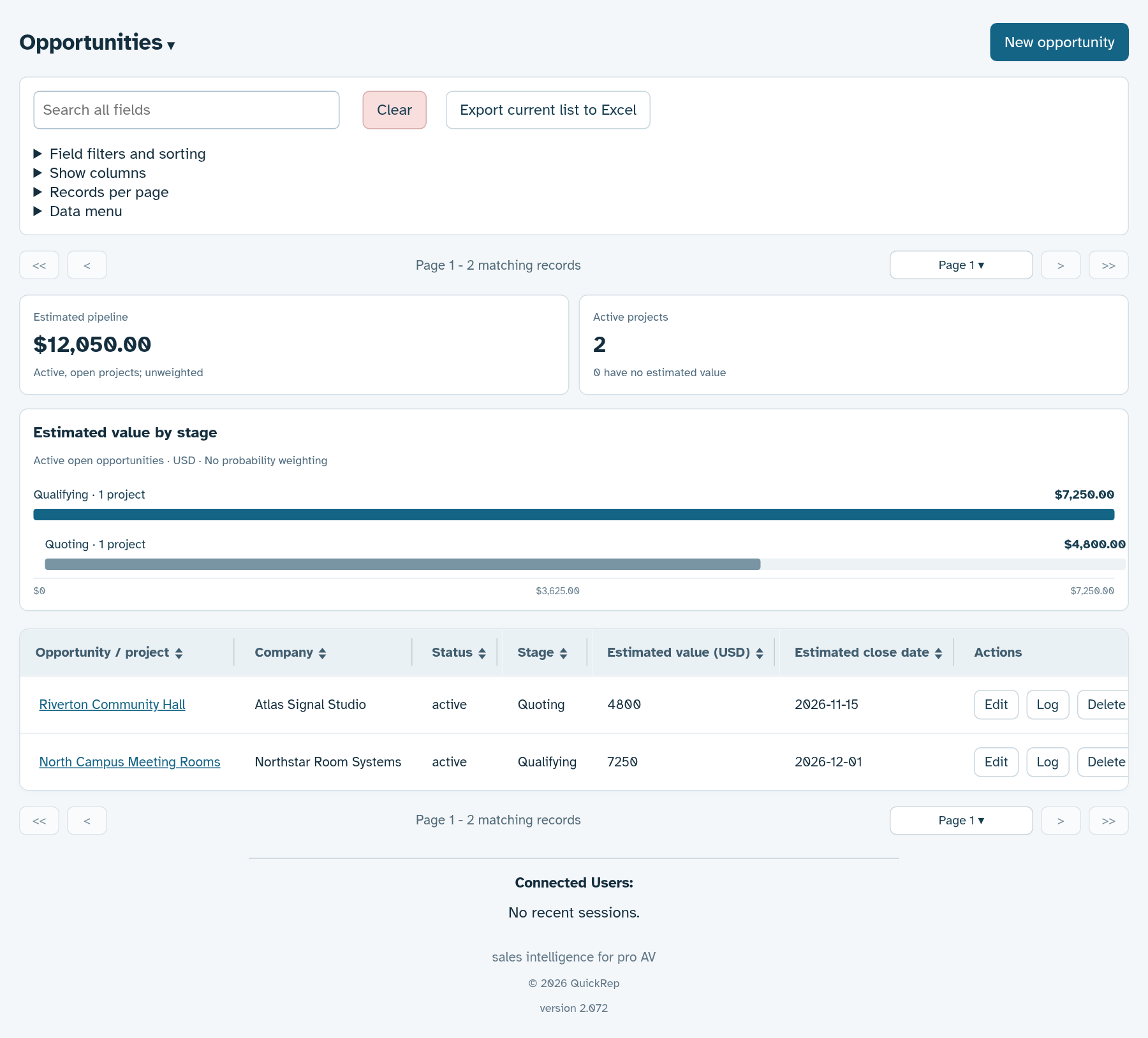
Demo data only · Tap the screenshot to view full size
Keep list versions straight
Retain older pricing while adding new lists. Mark Current, Future and Obsolete versions and track distribution separately.
For an October price change: add the new list without overwriting the price history behind existing quotes.
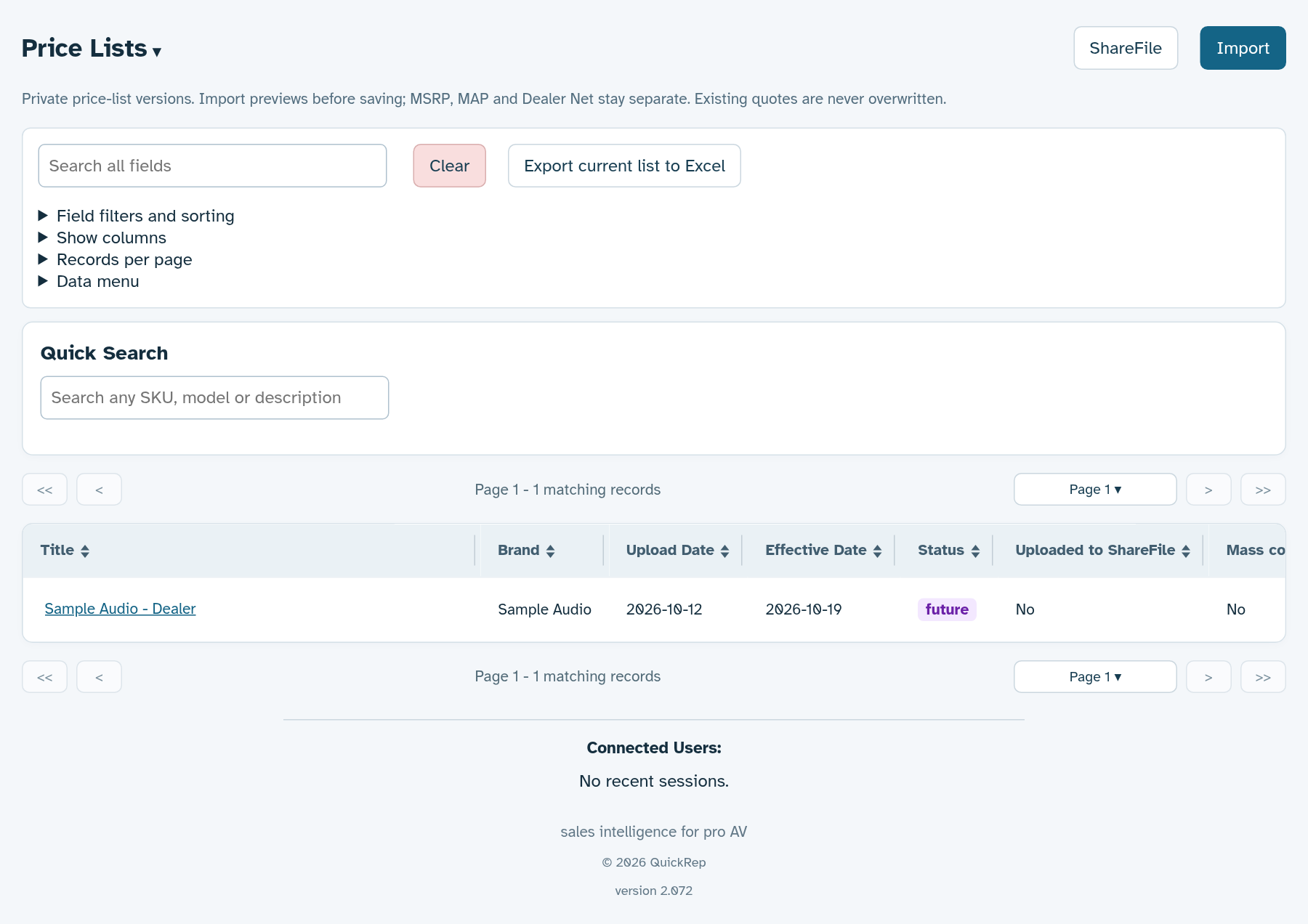
Demo data only · Tap the screenshot to view full size
Keep field work in the same workspace.
Plan dealer visits and trade-show travel, track demo inventory, and record expenses alongside the companies and projects you are working on.